
BRILLER / Compare
Briller vs Spacely.ai
Spacely.ai brings AI rendering and local edits into a designer’s workflow, with CAD integrations and team options. Briller helps you develop the room concept and work through the materials and fitting choices behind it.
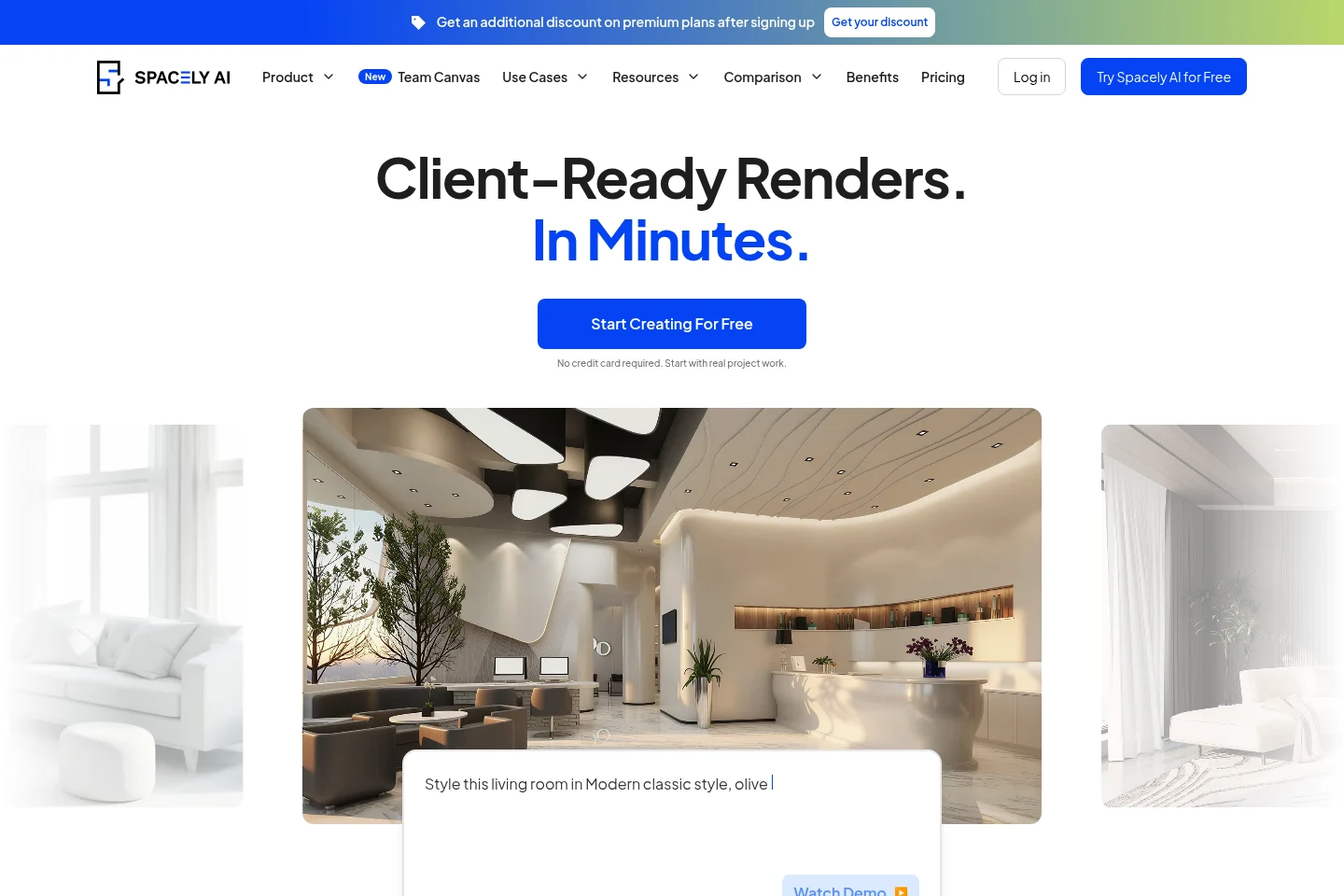
SketchUp, Revit, AutoCAD and Rhino integrations
Spacely.ai’s Studio and Agency plans list SketchUp, Revit, AutoCAD and Rhino integrations. Personal excludes those plugins and the Pro toolkit. The rendering tools cover interiors and exteriors, so the higher plans are relevant when a modeled design needs visual development within an existing CAD workflow.
Briller starts from room photos and can use blueprints as references. It helps shape the design brief and the material decisions. Keep the measured model in your CAD tool, then bring the visual direction into a conversation about finishes, lighting and implementation.
For architects with an existing model
If the geometry already lives in a CAD workflow, Spacely’s integrations can be the reason to choose it. They belong to Studio and Agency, so Personal’s lower rate does not cover the same job. Briller can support the reference and specification discussion around that geometry. Confirm the plugin version and model-transfer steps for your application before moving a live client project.
Develop the brief alongside your CAD workflowPoint and Edit Pro, transfer tools and shared canvas
Spacely.ai offers style transfer, collage-to-render and lighting-transfer workflows. Point and Edit Pro and material settings add targeted control, while the shared canvas supports developing the project with other people.
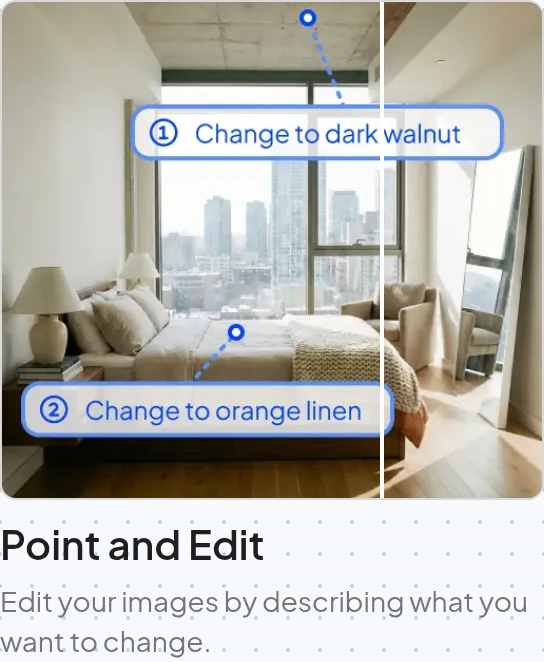
Point and Edit is presented as a local image-editing tool driven by a description of the change.
Briller moodboards can carry a particular technical element or item into the original room. Further iterations let you refine that choice, while Smart Sparks connect selected design details to the advice behind them.
For choosing wall colour and lighting mood
Spacely’s Lighting Transfer borrows the mood of a reference; Lighting Control changes the direction of light, while Point and Edit Pro targets local changes. For a homeowner, decide which variable you are testing so colour and lighting do not change together unnoticed. Briller helps develop the selected finish and the practical lighting detail. Compare real paint samples in the room before committing.
Test the finish around the room’s actual lightMaterial previews and installation choices
Spacely.ai’s material and lighting controls help you explore how the proposal will look. If the next step is a specification or a fitting quote, confirm what product sourcing and installation guidance accompany those visual tools.
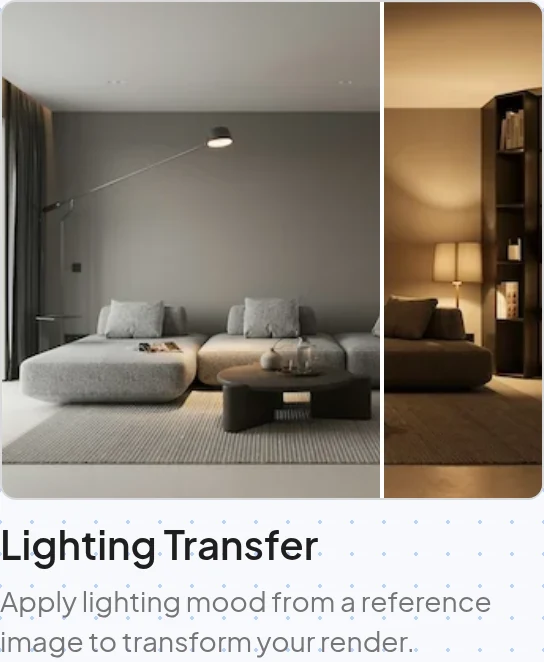
Lighting Transfer applies the lighting mood of a reference image to the proposed room.
Briller works through budget-specific specifications and implementation choices. A floating shelf, for example, raises questions about the support, wall structure and cable route as well as the timber finish. Full insights and PDF specifications are available on Pro Design and Studio / Architect.
For a built-in storage proposal
Spacely’s material tools can help compare a timber finish or painted cabinet in the render. A joiner also needs the panel thickness, edge, support and access details. Briller’s full advice develops those questions across budget options. Keep the agreed appearance as the visual reference and ask the joiner to confirm the measured specification, hardware and fixing method before manufacture.
Develop a storage specification from the concept4K, API access and collaboration seats
Spacely.ai lists high-resolution output and marks 4K download as Pro. Personal has one seat, Studio Pro up to two and Agency Pro+ up to five. Studio and Agency include team collaboration; Agency also lists API integration. Commercial licensing, private mode and watermark-free output are included in its plan descriptions.
Briller’s paid plans include commercial licensing. Studio / Architect adds shared projects, while Pro Design and Studio / Architect provide HD / 4K visuals and PDF specifications. Compare the tools around the work your team needs to hand over: images, technical explanations or integration with an existing design system.
For developers producing several presentations
Studio’s two seats may suit a designer and reviewer; Agency’s five seats and API integration address a larger production workflow. Confirm API scope and request limits before budgeting an automated process. Briller Studio has three seats, shared projects and PDF specifications for the design decisions. Compare the outputs your team must deliver and the people who need access, alongside monthly credits.
Coordinate concept images and specificationsPros
- Connects with established CAD and 3D applications.
- Separate controls for local changes, materials and lighting.
- Studio and Agency combine rendering with collaboration.
Cons
- Personal excludes CAD plugins, Pro tools and 4K downloads.
- Studio has two seats; a larger team needs Agency or another arrangement.
Best for
Architecture and design practices with an existing model, especially those that need to refine finishes or lighting for presentations.
Monthly subscriptions
Personal covers basic tools. Studio and Agency add Pro rendering / 4K and collaboration; team-seat counts differ from Briller Studio.
Monthly billing only. Each row pairs plans for a similar job; credits are each provider’s own units, not equal numbers of renders.
Spacely.aiFree includes 40 trial credits; no card required.
Briller72-hour Pro trial with 15 credits at registration; Free also available.
| For this kind of work | Spacely.ai | Briller |
|---|---|---|
| Solo visual exploration | Personal$25 per month, billed monthly 500 credits / month; 1 seat. | Explorer$9.99 per month, billed monthly 60 credits / month; 3 projects; 1 seat. Basic Briller insights. |
| Team rendering | Studio Pro$50 per month, billed monthly 1,500 credits / month; up to 2 seats. | Studio / Architect$69.99 per month, billed monthly 650 credits / month; unlimited projects; 3 seats. Full material specifications and installation advice across budgets. |
| Larger team and API | Agency Pro+$100 per month, billed monthly 3,500 credits / month; up to 5 seats. | Studio / Architect$69.99 per month, billed monthly 650 credits / month; unlimited projects; 3 seats. Full material specifications and installation advice across budgets. |
| Academic use | Education$30 per month, billed monthlyEducation offer; individual, non-transferable. 1,500 credits / month; eligible academic email required. | Pro Design$24.99 per month, billed monthly 200 credits / month; unlimited projects; 1 seat. Full material specifications and installation advice across budgets. |
Global plans are shown; India has different prices and allowances. Personal excludes 4K downloads, Pro tools and CAD integrations.
Prices checked:
Briller plans Official website