
BRILLER / Compare
Briller vs RoomGPT
RoomGPT keeps the starting point simple: upload a room photo and explore different themes. Briller adds room analysis, reference-led refinements and practical advice when you want to take a chosen direction further.

Themes, quality models and credit use
RoomGPT starts with a room photograph and a choice of themes. Its generator offers Basic, Pro and Ultra quality options, using one, two and four credits respectively for each selected theme. Choosing several themes multiplies the credit use; the packs buy credits rather than a fixed number of high-quality outputs.
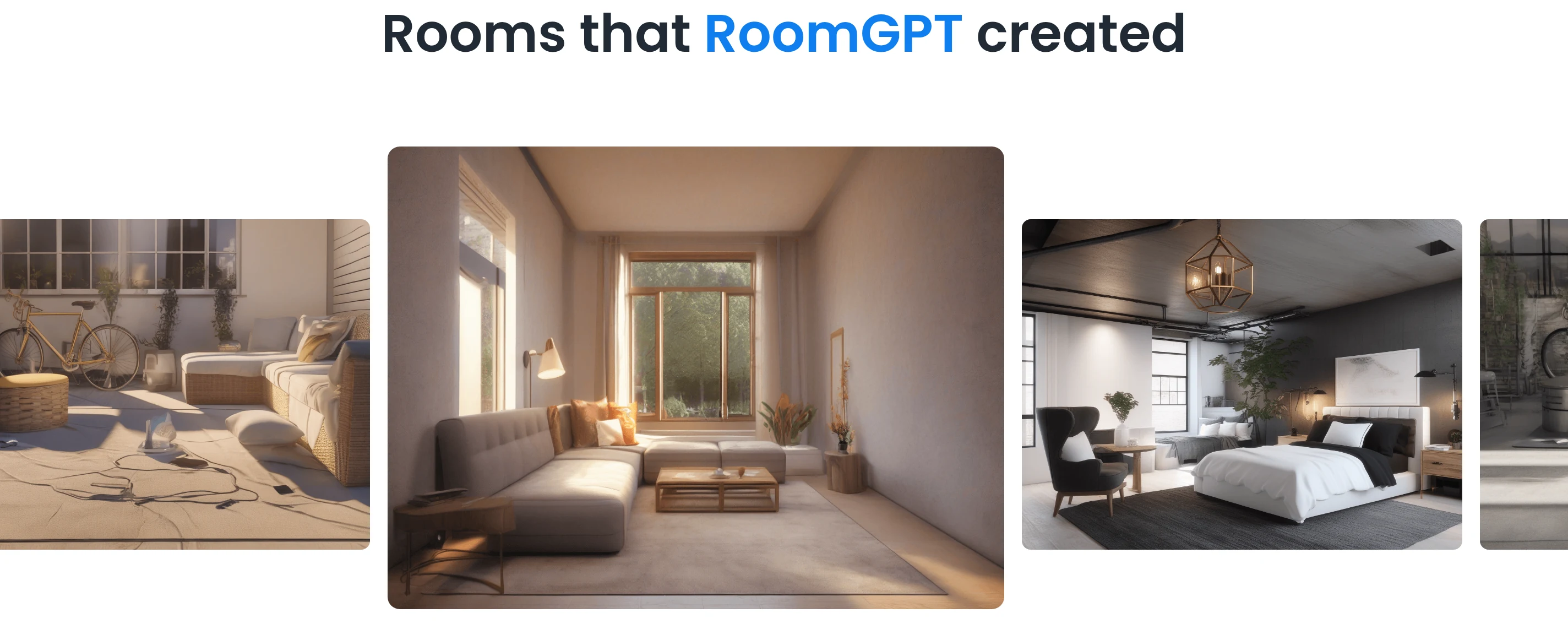
Room-design examples from RoomGPT’s published gallery.
Briller also begins with the existing room, then lets the brief become more specific. You can bring a reference image and select a particular material, piece of furniture or technical detail to apply to the original space.
For choosing a direction before spending
For a homeowner comparing broad styles, choose a small set of themes first. RoomGPT’s credit cost increases with quality and each theme: two Pro themes use four credits, while two Ultra themes use eight. Briller is useful when that first comparison becomes a more specific question about retained furniture, a reference detail or the budget for the selected look.
Try a style in your own roomExtra written details and repeat design passes
RoomGPT’s Pro and Ultra options allow extra written details about the room. That gives the theme a more specific brief. Local selection masks, reference-photo controls and an available saved-project dashboard still need confirming; the pack page labels dashboard saving “Coming Soon”.
Briller keeps design iterations within a project and connects the image to Smart Sparks and advice. That helps when you like the room’s overall feel but still need to resolve a shelf detail, task lighting or how the new finish meets the floor you are keeping.
For a small room with fixed constraints
In a studio apartment, a different theme does not establish whether the sofa bed opens or the route to the kitchen stays clear. Use RoomGPT’s extra written details to describe what must remain, then check the result against measurements. Briller can develop the storage and finish choices around those constraints. Keep a measured layout alongside both tools when deciding where furniture goes.
Plan a small-space refreshCommercial photo use and the work brief
RoomGPT’s paid credit packs include commercial photo use and email support. Confirm export sizes and any material or fitting guidance you need before handing a design to a client or contractor.
Briller offers material specifications and installation advice across budget options, with full insights on Pro Design and Studio / Architect. Those plans also include PDF specifications and HD / 4K images. Paid plans include commercial licensing, and Studio / Architect supports shared projects.
For a contractor discussing the quote
A theme image can help a customer explain their taste, but the quote still needs an agreed scope. Ask which floor stays, which wall changes and who supplies the lighting. RoomGPT’s paid packs permit commercial photo use. Briller’s full advice and PDF specifications help develop the material and fitting discussion before the contractor turns it into priced work.
Turn the design discussion into a clearer briefPros
- A short photo-and-theme workflow.
- One-time packs suit occasional use.
- Pro and Ultra accept more specific written instructions.
Cons
- Higher quality and multiple themes increase credit use.
- The pack page still labels saved-dashboard access “Coming Soon”.
Best for
Someone exploring a few room directions without starting a monthly subscription.
Monthly subscriptions
RoomGPT uses one-time credit packs and has no listed monthly subscription. There is no monthly rate to put alongside Briller. Compare it for occasional theme exploration; Briller’s subscriptions suit an ongoing room project with a recurring allowance.
RoomGPTConfirm the free-credit allowance at registration.
Briller72-hour Pro trial with 15 credits at registration; Free also available.
Credit use depends on quality and the number of themes. Confirm credit expiry and export sizes before buying a pack.
Prices checked:
Briller plans Official website