
BRILLER / Compare
Briller vs Remodel AI
Remodel AI puts renovation previews on your phone, with tools for changing surfaces, replacing objects and finding furniture. Briller helps you develop the idea with references and work through the specification before buying or fitting it.

Photo previews on iOS and Android
Remodel AI is available on iOS and Android. Its photo tools cover interiors and exteriors, including flooring, wall finishes, paint and landscaping. It suits the moment when you are standing in the room and want to see a change before deciding what to pursue.
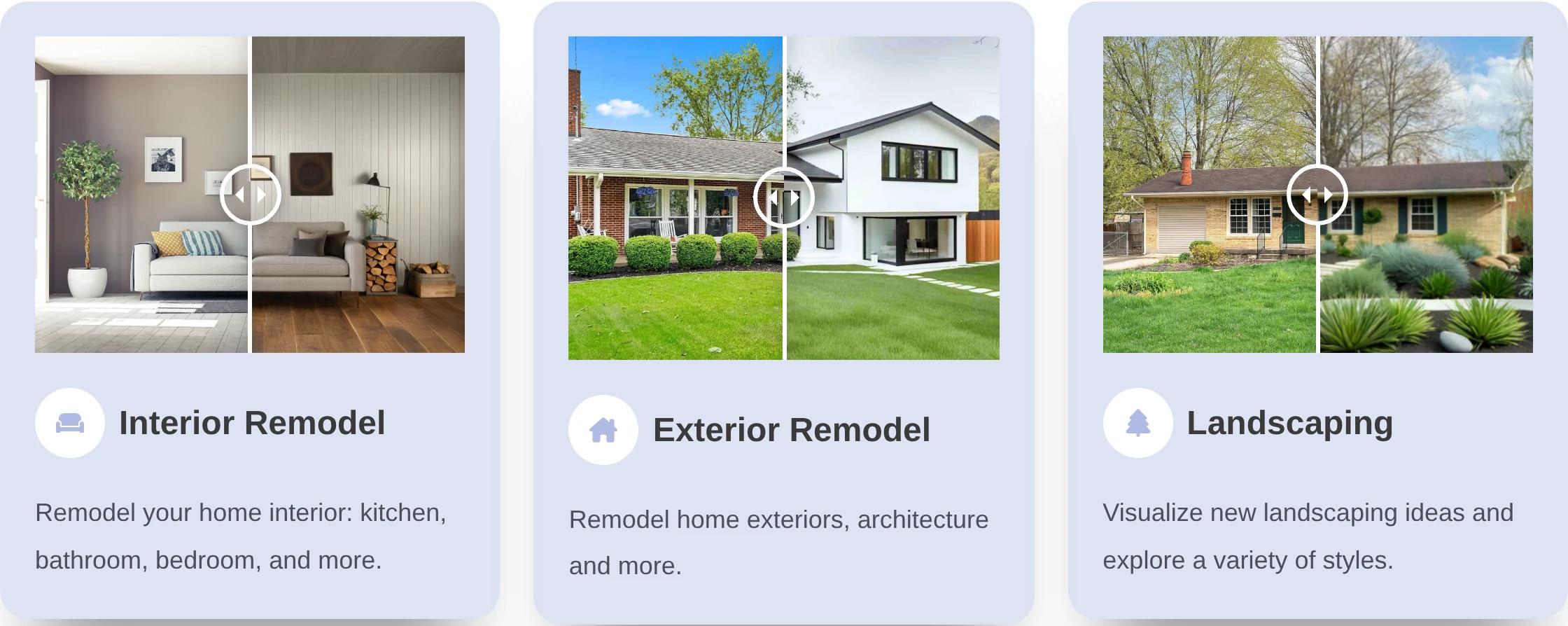
Remodel AI’s feature examples cover interiors, façades and landscaping, with before-and-after sliders.
Briller pairs the room photo with analysis and a project brief. You can use a moodboard to bring in a particular item, finish or technical element, then develop the original space through several design iterations.
For the first conversation at home
A phone preview is convenient when you are choosing between a painted wall and a new floor while standing in the room. Remodel AI suits that quick visual check. Briller becomes useful when you want to keep the options in a project and discuss what the preferred change involves. Take clear original photos and note the items you want to retain.
Start with one room and a clear briefReskin, Replace and Remove
Remodel AI’s Reskin, Replace and Remove tools target parts of the image. The app also advertises furniture matching, so a renovation picture can become a starting point for finding similar products.
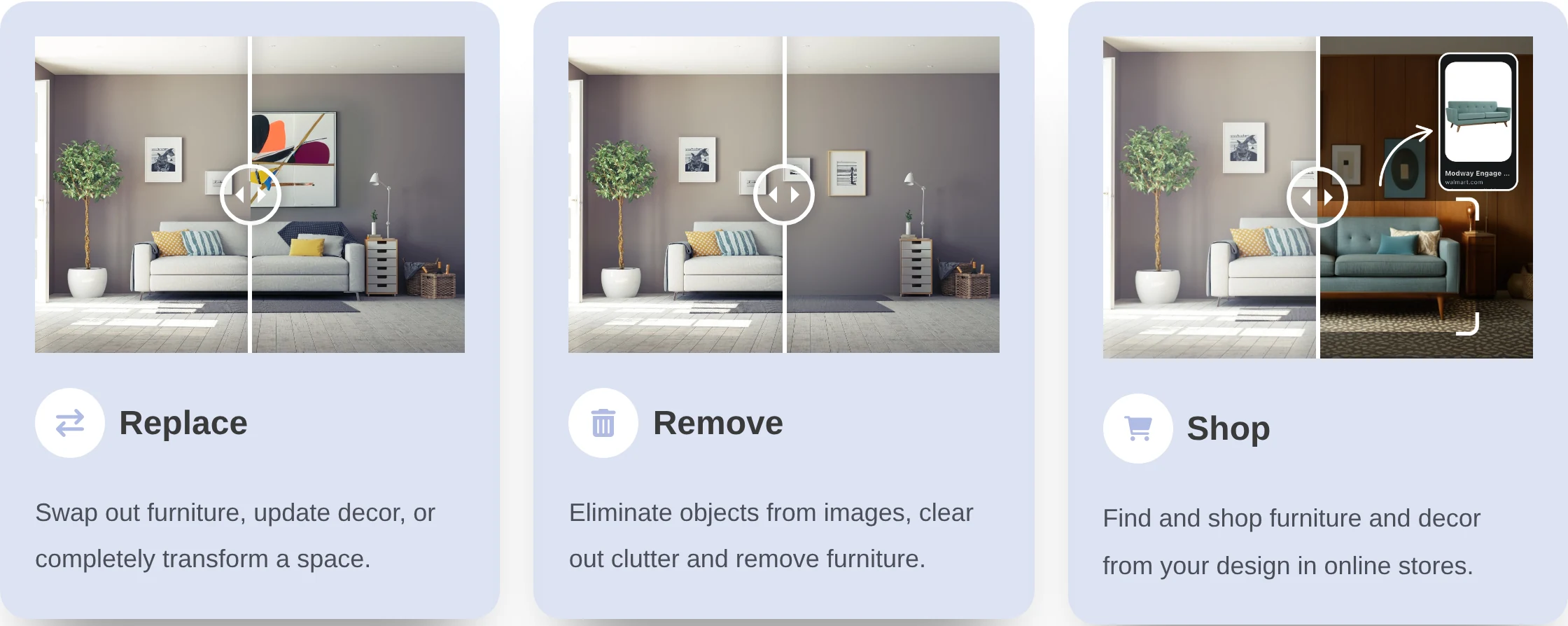
Replace changes an object, Remove clears it from the image, and Shop connects the proposed room with furniture searches.
Briller’s Shop the Look helps build a shortlist too. The advice around it can address what the product choice changes in practice: how a thicker worktop meets the sink, whether a floating shelf has suitable support or how a new finish sits beside what stays.
For comparing flooring and retained furniture
Use Reskin to explore the surface and Replace or Remove for an object you intend to change. For flooring, the next decision is often the junction: the hallway, a door or the kitchen units. Briller’s advice helps compare those finish and fitting choices. A preview cannot establish substrate condition; check levels, moisture and door clearance before ordering.
Compare floor finishes and fitting choicesFrom a finish preview to fitting choices
Remodel AI can help you explore the appearance of a new floor, painted wall or changed furniture. Confirm what material schedules and fitting guidance are included if you need to carry that image into a contractor’s quote.
Briller’s budget-specific advice covers specifications and implementation choices, with full insights on Pro Design and Studio / Architect. For a floor change, that discussion can include the finish, substrate preparation and junctions with existing doors or adjacent surfaces.
For a kitchen surface refresh
A changed worktop colour can make the room feel different without replacing every cabinet. Remodel AI can help explore the appearance. In Briller, develop the specification around the existing carcasses, sink, hob and splashback, then compare budget options. Ask the fitter to confirm support, cut-outs and service connections before accepting a surface that works only in the picture.
Explore a kitchen-surface updateSaving proposals and checking client-use rights
Remodel AI supports saving and sharing designs. Its paid offers run through the app stores, where several subscription lengths and purchase options are listed. Check the offer on the device and account you will use.
Briller Pro Design and Studio / Architect include HD / 4K output and PDF specifications. All paid plans include commercial licensing; Studio / Architect adds shared projects. Those are useful entitlements to compare when the result is going to a client or a fitting team.
For a rental between bookings
A host may have only a few days to replace a damaged finish or update furniture. Remodel AI’s saved images can help agree on the look quickly. Briller’s project and PDF specification can hold the chosen detail for the person doing the work. Confirm Remodel AI’s commercial-use rights and export resolution if you plan to use the image in a listing or paid client proposal.
Plan a refresh between bookingsPros
- Available on both iOS and Android.
- Named tools for surface changes, replacement and removal.
- Interior and outdoor previews.
Cons
- The subscription offered depends on the app store, region and account.
- A photo preview still needs a measured layout for decisions about fit and clearance.
Best for
Homeowners comparing a few finishes or furniture changes on a phone before committing to a larger project.
Monthly subscriptions
Remodel AI has free renders and Pro subscriptions through the app stores. The US Apple listing contains several prices for each subscription period.
Monthly billing only. Each row pairs plans for a similar job; credits are each provider’s own units, not equal numbers of renders.
Remodel AILimited free renders; the in-app offer sets the allowance.
Briller72-hour Pro trial with 15 credits at registration; Free also available.
| For this kind of work | Remodel AI | Briller |
|---|---|---|
| Paid renovation work | Pro$6.99–$9.99 per month, billed monthlyListed US monthly options; $7.99 is also listed. Paid render allowance: confirm in the app. | Pro Design$24.99 per month, billed monthly 200 credits / month; unlimited projects; 1 seat. Full material specifications and installation advice across budgets. |
The range comes from monthly subscriptions listed in the US App Store. Your device, account and region determine the available offer; Android may differ.
Prices checked:
Briller plans Official website