
BRILLER / Compare
Briller vs Foyr Neo
Foyr Neo supports dimensioned 3D interiors, rendering and client presentations. Briller helps you start from the existing room and develop the material and installation decisions around a proposed design.
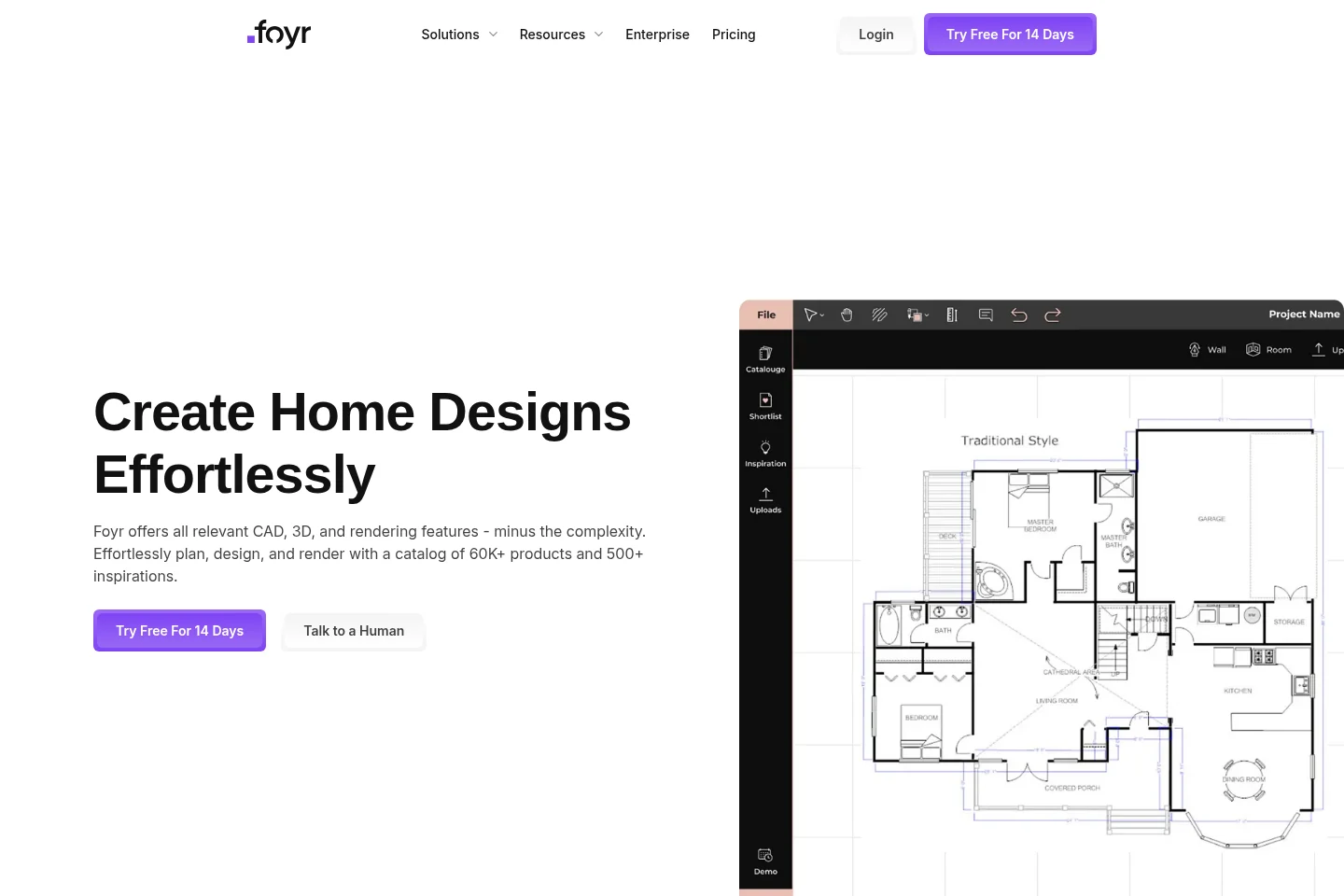
Dimensioned walls, model catalogue and plan exports
Foyr Neo lets you draw floor plans with real-world units and edit wall lengths and thicknesses. Furniture, textures, lighting and cameras are part of the editable 3D scene. Standard adds floor-plan exports; Premium adds scaled elevation PDFs.
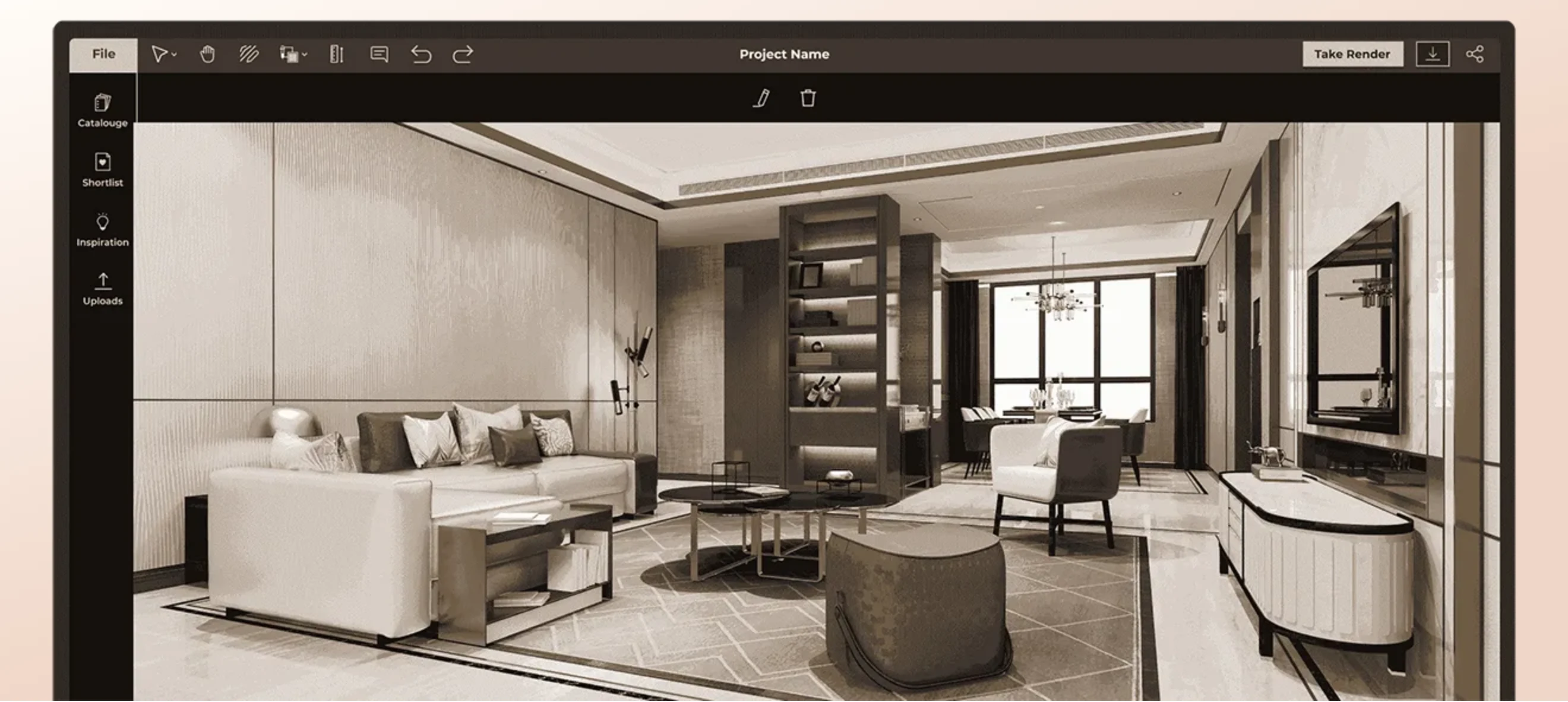
Foyr’s published editor view shows the furnished scene alongside catalogue, shortlist, upload and rendering controls.
Briller uses photos and blueprint references to explore a design direction. Keep measured geometry in the drawing tool, and use Briller to consider the finishes and details that will make that layout work for the people using it.
For a kitchen or bathroom remodeler
A kitchen layout needs appliance clearances and service positions alongside the presentation. Foyr Neo’s editable wall dimensions and model placement support that spatial work. Briller helps compare the cabinet, worktop and lighting details around the chosen layout. Keep site measurements and manufacturer installation requirements with the plan, particularly where a visual model uses a similar rather than the exact product.
Connect the room proposal with the fitting briefMoodboards, lighting controls and walkthroughs
Foyr Neo advertises moodboards and a furniture-model catalogue. Direct material, lighting and camera controls let you build the presentation around the scene you have modeled, with walkthroughs available from Standard.
In Briller, a reference can contribute a specific solution to the original room. You might bring in a floating credenza or a recessed curtain track, refine its appearance and then use the advice to discuss supports, access and the surrounding finish.
For an agent planning improvements before sale
A walkthrough can help an owner understand a proposed reconfiguration, but creating the model takes more preparation than changing a photo. Foyr Neo suits a proposal that needs several modeled views. Briller is useful for exploring which retained-room changes deserve that investment: a brighter finish, a revised lighting detail or a more restrained feature wall before the listing is photographed.
Choose improvements for sale preparationNeo specifications and Foyr Manage
Foyr Neo’s strengths include the editable model and drawing deliverables. Foyr also offers Manage for estimates, invoicing and project administration. Check which product covers the work you need when comparing subscriptions.
Briller’s budget options help explore material and installation alternatives within a design. For a feature wall, you can discuss veneer versus a decorative finish, the fixing method and cable coordination. Full technical insights and PDF specifications are included on Pro Design and Studio / Architect.
For a contractor separating design and administration
A floor-plan export, a material brief and an invoice serve different parts of a job. Foyr Neo covers the model and presentation; confirm Foyr Manage separately if you need estimates or invoicing. Briller’s full advice helps develop material and installation alternatives for the brief. The contractor can then price the agreed option with actual quantities, supplier costs and labour.
Clarify the specification before pricingTwo-user work, scaled elevations and custom models
Foyr Neo Basic lists HD, 2K and 4K renders. Standard includes two users, walkthroughs and floor-plan exports; Premium adds scaled elevations and a custom-model service. Those are useful distinctions when choosing the client deliverables you need.
Briller Studio / Architect includes shared projects. Its HD / 4K images and PDF specifications can accompany the drawings from your planning software, giving the team a visual direction and an explanation of the proposed specification.
For an architecture practice’s presentation package
Standard’s two users and walkthroughs may cover a small practice; Premium adds scaled wall elevations and one custom model per month. Compare those deliverables with the objects your projects require. Briller Studio provides shared projects and PDFs to explain the visual and material decisions alongside the drawings. Confirm the custom-model turnaround and export detail before promising a delivery date to a client.
Prepare the design discussion around the drawingsPros
- Editable, dimensioned room geometry.
- Rendering and presentation exports in the same design workflow.
- Two-user access on Standard and Premium.
Cons
- Monthly render credits need to cover the views and revisions you plan to deliver.
- Estimates and invoicing through Foyr Manage are a separate product to check.
Best for
Designers and small practices preparing measured room models, walkthroughs and coordinated presentation packages.
Monthly subscriptions
These USD subscriptions are billed monthly. Standard adds two users and walkthroughs; Premium adds scaled elevations and a custom-model service. Briller pairs the room concept with material and installation advice.
Monthly billing only. Each row pairs plans for a similar job; credits are each provider’s own units, not equal numbers of renders.
Foyr Neo14-day trial; no credit card required.
Briller72-hour Pro trial with 15 credits at registration; Free also available.
| For this kind of work | Foyr Neo | Briller |
|---|---|---|
| Solo presentation work | Basic$39 per month, billed monthly 30 render credits / month; 1 user. | Pro Design$24.99 per month, billed monthly 200 credits / month; unlimited projects; 1 seat. Full material specifications and installation advice across budgets. |
| Two-user design work | Standard$89 per month, billed monthly 90 render credits / month; 2 users. | Studio / Architect$69.99 per month, billed monthly 650 credits / month; unlimited projects; 3 seats. Full material specifications and installation advice across budgets. |
| Studio deliverables | Premium$159 per month, billed monthly 210 render credits / month; 2 users. | Studio / Architect$69.99 per month, billed monthly 650 credits / month; unlimited projects; 3 seats. Full material specifications and installation advice across budgets. |
Allowances shown are for the USD monthly plans. Foyr Manage estimates and invoicing are a separate product.
Prices checked:
Briller plans Official website